A Google Sheets Budget Template for Freelancers
Map salary, client invoices, consulting, and product payouts to real bills and due dates with a Google Sheets budget for uneven developer income.
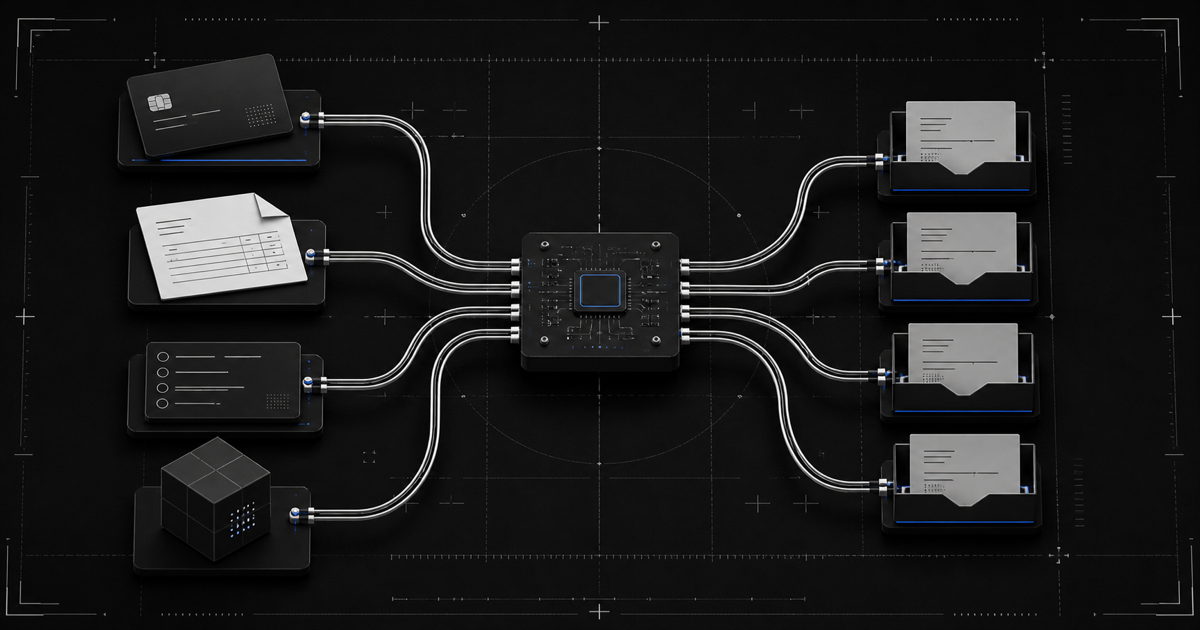
An invoice can be earned in May, sent in June, approved in July, and paid shortly after you stop checking the banking app out of spite.
Monthly totals don't handle that very well.
A useful Google Sheets budget template for freelancers treats income as an event. Log money when it becomes available, map each bill to the payment that will fund it, plan recurring assignments from the lowest recent month, and assign each received payment until nothing remains unallocated.
I think this model fits developer income unusually well. It doesn't care whether the event came from payroll, a client, or an app store, as long as the payment has a real available date and amount.
That's an event-driven budget. Developers are allowed one familiar phrase.
Four Dates Exist For One Invoice
Freelance and consulting income moves through several states.
You do the work. You issue the invoice. The client approves or processes it. The money reaches your account.
The first three dates matter for project management and forecasting. The last one matters for a personal bill due tomorrow.
Keep expected income visible, but separate it from available income. I'd rather keep an invoice in a clear processing state than let an optimistic total leak into the bill plan before the client pays.
Here is a hypothetical log for a developer with several income sources.
| Available Date | Source | Amount | Earlier Event |
|---|---|---|---|
| October 1 | Day-job paycheck | $1,600 | Regular payroll |
| October 11 | Consulting invoice | $850 | Invoice sent September 20 |
| October 18 | App-store payout | $240 | September sales |
| October 25 | Maintenance retainer | $500 | Client approved October 22 |
This isn't a real person's financial history. It's a timing model.
Notice that three October payments came from work or sales recorded earlier. A revenue report grouped by work month would tell a different story from the cash available in October.
Once those two views are mixed, an invoice can appear in the month it was earned and again when it was paid, leaving the personal plan with a very confident total assembled from money that only arrived once.
Both views can be useful. Only one pays the October internet bill.
Separate Forecast State From Available State
A developer would not mark a background job complete because it entered the queue. Treat invoices the same way.
I'd create an Income Log with a status column and make the available state the only one that feeds the personal total. The other states still matter, they just answer a forecasting question instead of a spending question.
Suggested values are expected, invoiced, processing, and available. Only available rows feed the personal budget total.
You can use a formula such as SUMIF to total rows with the available status. Keep the other rows for visibility, but don't let them inflate the amount ready for assignment.
This removes an awkward argument with yourself.
The consulting invoice can be real, approved, and likely to arrive. It still doesn't need to carry a bill before it lands.
Plan From The Lowest Recent Month
Variable-income advice often begins with an average. Averages are useful for reporting. They are less useful when one app launch or large consulting project lifts the number above several ordinary months.
Take this hypothetical six-month sequence of available personal income.
| Month | Available Income |
|---|---|
| April | $3,900 |
| May | $3,150 |
| June | $5,200 |
| July | $2,950 |
| August | $4,400 |
| September | $3,300 |
The average is about $3,817. The lowest month is $2,950. I'd keep both numbers, but I wouldn't let the larger one set recurring assignments simply because June contained a project that may not repeat.
If the day-job component is stable and the other sources vary, the lowest total still captures the combined floor that has actually occurred.
Look back 6 to 12 months where possible. Use the lowest completed month as the initial baseline for recurring assignments.
If your income mix changed, annotate the number. Maybe the salary started recently or a major client left. A spreadsheet should display assumptions, not hide them behind a green dashboard card.
Better months become surplus after the money arrives. Assign that surplus separately rather than changing every recurring amount after one strong consulting month.
A production incident is not the moment to increase the server budget. A launch spike is not the moment to increase every personal category.
Map Bills To Specific Payments
Now create the part most freelancer budget templates skip.
List every recurring bill with its due date and funding payment. I want that last field to be specific enough that another person could open the sheet and point to the exact received money carrying the bill.
| Bill | Due Date | Amount | Funding Payment |
|---|---|---|---|
| Rent | October 2 | $1,000 | October 1 salary payment |
| Car insurance | October 8 | $130 | October 1 salary payment |
| Internet | October 14 | $70 | October 11 consulting payment |
| Phone | October 20 | $75 | October 18 app-store payout |
| Cloud tools sinking fund | October 28 | $60 | October 25 retainer |
The example is hypothetical.
The October 11 consulting payment can't fund rent that was due on October 2. Obvious when written. Weirdly easy to ignore inside a monthly total.
This is also useful when you're budgeting paycheck to paycheck while earning from several systems. The check doesn't need to come from payroll. It can be any received payment with a date and amount.
I would give every received payment a stable ID and use that ID in the bill map, because descriptions change, dates get corrected, and a sheet built on loose text matching eventually develops the same personality as an untested integration.
If one payment carries too many bills, the sheet shows the overload. You can then decide whether to use money already received, adjust an assignment, or change the broader plan.
The spreadsheet doesn't make that decision for you.
Run Zero-Based Budgeting Per Payment
Zero-based budgeting means assigning every dollar until income minus assignments equals zero.
For uneven developer income, do it at the payment level.
Here is a hypothetical plan for the $850 consulting payment.
| Assignment | Amount |
|---|---|
| Internet | $70 |
| Groceries | $180 |
| Next-rent set-aside | $350 |
| Equipment sinking fund | $100 |
| Emergency reserve | $100 |
| Flexible spending | $50 |
| Unallocated | $0 |
The zero doesn't mean the money has all been spent. I think of it as the payment having no anonymous remainder, while several assignments can remain in the account for future use.
It means the payment has no anonymous remainder.
If the formula returns a positive amount, add an assignment. If it returns a negative amount, the current plan asks the payment to carry more than it contains.
Do the same for the salary payment, app-store payout, and retainer. Each one has its own subtotal and unallocated line.
Keep Project Accounting Out Of The Personal Plan
Freelance invoices, software subscriptions, app revenue, refunds, hosting, contractors, and taxes may belong in business records. This article is not a replacement for those records.
The personal budget should begin with the amount you have classified as available for personal assignments. I'd make that transfer or classification visible rather than letting the store's gross number quietly appear in both business and personal views.
That separation prevents the app-store gross number from quietly becoming rent money while a platform hold or business cost still exists.
Keep project expenses and personal assignments in separate views. The same boundary helps when a product is still absorbing infrastructure costs or when a salaried job covers part of the household baseline.
The spreadsheet here is for what happens after income becomes personal cash.
Add Sinking Funds For Predictable Weirdness
Developers have irregular expenses too.
There may be domains, annual licenses, device replacement, conferences, insurance, car registration, or other costs that don't fit a monthly subscription row.
I'd create the Sinking Funds tab with the target and date first. Current amount and planned contribution come next, after you've decided the future cost belongs in this plan at all.
The formula can divide the remaining amount across the remaining payments or months. Treat the result as information, not individualized advice.
A runway view can use the reserve amount and baseline essential expenses you choose. Divide one by the other and display the result in months.
It's a metric based on the inputs. It can't predict a delayed client, a medical bill, or an expensive laptop failure.
Build The Sheet Like A Small System
A useful budget template for freelancers doesn't need forty tabs. I would stop at six unless a new tab answers a question the existing ones genuinely can't.
Use six.
Settings for categories and baseline assumptions.
Income Log for expected, invoiced, processing, and available payments.
Bills Calendar for due dates and funding payments.
Payment Planner for zero-based assignments.
Sinking Funds for future irregular costs.
Dashboard for the lowest month, next bills, unallocated amounts, and runway.
Keep inputs visually distinct from formulas. Protect formula cells. Add data validation to status fields and funding-payment selectors.
The main calculations are simple.
- Total available income by month.
- Minimum completed-month income.
- Total assignments by payment ID.
- Payment amount minus assignments.
- Bills due before the next available payment.
You don't need bank syncing for the method to work. Manual entry once a week is enough to keep the model current if you maintain it.
Review On A Small Cadence
Open the sheet when money lands. Change the payment status to available, enter the actual amount, and assign it.
Then run a short weekly review.
Confirm the next bills and funding payments. Update sinking-fund balances. Resolve unallocated amounts. Remove an expected payment when the forecast changes rather than leaving it in the sheet as decorative optimism.
That review should feel more like checking a small queue than reopening an annual planning exercise, with a handful of changed events, one or two affected assignments, and no requirement to pretend the original forecast deserves to survive contact with a late client.
The routine can take roughly 10 minutes once the workbook is set up.
Don't rebuild the architecture because one client paid late. Update the event and inspect the affected assignments.
If the lowest month doesn't cover the recurring assignments, let the sheet show that negative result. Don't hide it with expected invoices. The calculation is a prompt to review the plan or seek qualified help, not permission for the spreadsheet to invent income.
Use The Prebuilt System If You Prefer
Everything above can be built with ordinary Google Sheets formulas. I think a paid version earns its price by removing setup and formula work, not by hiding the method.
If you want the workbook already assembled, Uneven Money Co. packages the bill-mapping and per-payment zero method.
The $12 Paycheck Mapper is the starter sheet. Uneven Money OS costs $39 and includes seven tabs. The $79 bundle adds both spreadsheets, a quick-start guide, and 12 AI Budget Coach prompts.
Disclosure. Uneven Money Co. is my product, so the link is self-promotional. The system is a tool, not financial advice.
It doesn't replace bookkeeping, tax advice, or the judgment required to decide what a business can pay you.
Budget The Next Event
The clean starting point is not January 1.
Use the next available payment. Give it an ID. Map the bills it must carry before another payment is available. Add sinking funds and flexible categories. Keep assigning until the unallocated formula returns $0.
When a client pays late, the plan changes state. When app revenue clears, it becomes a new event. When salary arrives, it gets its own assignments.
The month is only a reporting boundary.
The money moves on dates.
Like this? You'll like what I'm building too.
Two ways to support and get more of this work.
HEARTH
A privacy-first Life OS for your desktop. Journal, tasks, and notes that stay on your machine. Coming soon, direct download from this site.
Read moreMY TOOLKITS
Receipts-first toolkits for shipping after hours, building Claude agents, publishing on Amazon, and more. The exact methods I used, not theory.
Browse on Whop