Shipping a Desktop App With Tauri, Honestly
Tauri gives you a small cross-platform desktop app with a Rust core and a native webview. The hard part is not the code, it is signing, notarization, and CI.
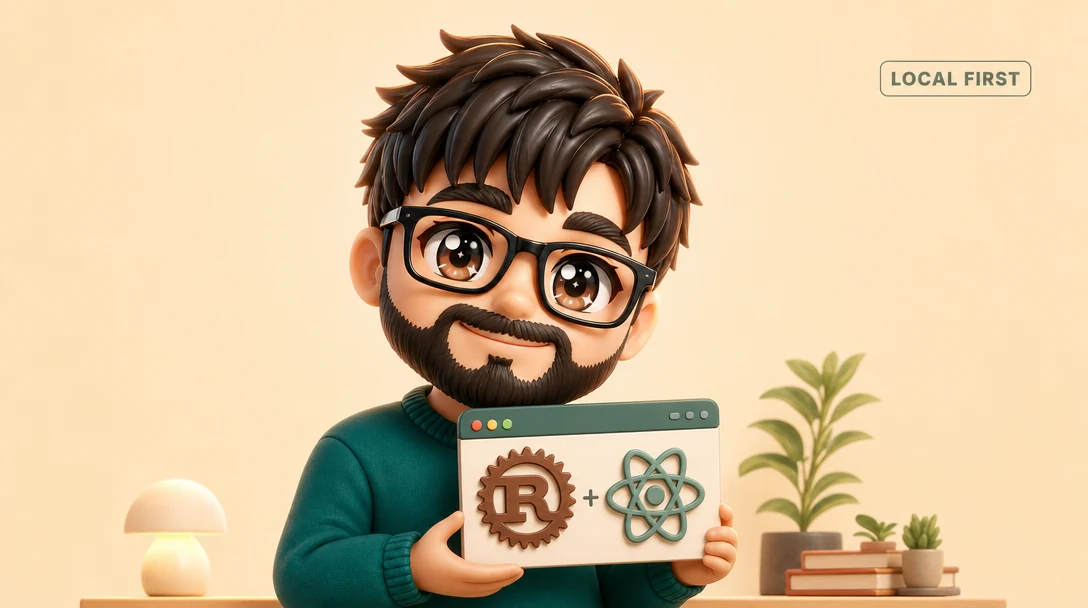
The web app I knew how to build was the wrong shape for what I wanted, which was a desktop app that holds your data on your own machine and never sends it anywhere. The moment your value proposition is "your data stays local and private," a browser tab undercuts you. People do not believe a website when it promises not to phone home, and they are right not to. So I built it as a real desktop app instead. It is called Hearth, a local-first Life OS, and the choice of how to package it turned out to matter more than the features.
I picked Tauri v2. A Rust core for the native side, a React frontend for the interface. This post is not a sales pitch for Tauri. It is the honest version of what that choice costs and what it buys, because the buying part is easy to find online and the cost part is mostly learned the hard way after you think you are done.
Why Tauri Instead Of Electron
The default answer for "I know web tech and I want a desktop app" is Electron, and for good reason. It is mature, it is everywhere, and your existing frontend basically just runs. But Electron bundles an entire copy of Chromium into your app. Every install ships a whole browser engine alongside your code, which is why so many Electron apps are heavy downloads that sit large on disk before you have written a single feature.
Tauri makes a different trade. Instead of bundling a browser, it uses the webview that already ships with the operating system, WebView2 on Windows, WebKit on macOS, WebKitGTK on Linux. Your HTML and JavaScript render in that system component, and the result is a dramatically smaller binary because the heaviest dependency is something the user's machine already has. The native side, the part that touches the filesystem, windows, and system APIs, is handled by a Rust core that compiles down to a tight binary instead of a Node runtime.
For Hearth, the size and the boundary were both the point. A privacy-first tool should not arrive as a giant download that feels like it is doing a lot. And the split is clean in a way I came to appreciate. The React layer owns the interface, the Rust layer owns anything that reads or writes to disk, and the line between them is an explicit set of commands rather than a blurry shared process.
The cost of that trade is real, and you should know it going in. Because you are using the system webview rather than a single pinned Chromium, you are now testing against three rendering engines instead of one. A CSS feature or a JavaScript API that works in WebKit on your Mac may behave differently in WebView2 on Windows. The boundary between web and native is also less forgiving than Electron's. You cannot just reach for a Node module on the frontend, you call into Rust, which means some work that is trivial in Electron is a small piece of native code in Tauri. If your app barely touches the system, Electron's convenience might win. If you care about size, about a tight native boundary, or about not shipping a browser, Tauri earns its place.
Local-First With No AI, On Purpose
Hearth stores its data in a local app-data directory on the user's machine. Not a cloud database with a local cache, the local files are the source of truth. There is no account, no sync server, no telemetry beacon firing on launch. It deliberately does not phone home.
This is where Tauri's shape and the product's shape line up. The Rust core is the only thing that touches the data directory, so "where does my data go" has a single, auditable answer, into a folder on your own disk, through one layer of native code, and nowhere else. That is a much easier promise to keep when there is no server in the architecture to accidentally send things to.
The harder decision was leaving AI out entirely, and I want to be precise about this because it reads as a gap and it is not. There is no model running in the background, no assistant, no "summarize my week" button. The absence of AI is a deliberate product stance. A Life OS that quietly reads everything you put into it in order to think for you is exactly the kind of tool a privacy-first user is trying to escape. The promise is that this thing holds your life and does not have an opinion about it. Adding an AI feature would make the product more impressive in a feature list and would directly contradict the one thing it is for. So it is not on the roadmap as a "later." It is an anti-feature, the same deliberate absence as the missing sync server.
The transferable point is that a deliberate omission can be a feature, but only if you can articulate why it is absent. "We did not get to it" is a gap. "It would undermine the core promise, so it is intentionally absent" is a position. Those read identically in a screenshot and could not be more different in what they say about the product.
The Unglamorous Part Nobody Screenshots
Here is the part the framework tutorials skip, and it is the part that actually stands between "it runs on my machine" and "a stranger can install it." Writing the app was the fun, visible work. Making it installable by someone who does not trust me yet is a separate project, and it is mostly bureaucracy and infrastructure.
Start with macOS. A modern Mac will not happily run an app from an unidentified developer. To ship something a normal user can open without fighting Gatekeeper warnings, the app has to be code signed and then notarized, sent to Apple to be scanned and stapled with their approval. Code signing requires a paid Apple Developer ID. There is no free path around it that results in a clean install experience. That is a real annual cost and a real account you have to set up before a single Mac user can double-click your build without friction. None of it makes the app better. All of it is required.
Then there is the matter of building for three operating systems at all. "Cross-platform" is a property of your code, but it is also a property of your build pipeline, and the second one is easy to forget. I can compile for my own machine trivially. Producing installers for macOS, Windows, and Linux, reliably, on every release, means a release CI matrix that spins up each operating system and builds the artifact there. You generally cannot cross-compile all of this cleanly from one box, especially once signing enters the picture, so the honest answer is a CI workflow that runs the build per platform. Setting that up is its own chunk of work that has nothing to do with the product and everything to do with whether anyone can actually get it.
I am being blunt about this because I underestimated it, and I do not think I am unusual. The mental model of "I finished the app" quietly assumes the gates are part of finishing, when really they are a second, smaller project stacked on top. Signing, notarization, an Apple Developer account, and a cross-platform CI matrix are the unglamorous price of distribution. Budget for them as real line items when you plan a desktop app, not as a cleanup step you tack on at the end.
What I Would Tell Myself Before Starting
If you are choosing a desktop stack, the framework decision is the easy part and Tauri is a strong answer when you want a small binary, a Rust core, and a native webview instead of a bundled browser. Choose it for size and for a clean native boundary, accept that you are now testing three webviews and writing a little Rust, and skip it only if your app is so thin that Electron's convenience genuinely wins.
The decision that matters more is whether you are honest with yourself about the rest. A desktop app is the code plus signing plus notarization plus a developer account plus a CI matrix that builds for every platform you claim to support. The code is what you enjoy. The distribution is what determines whether the code ever reaches anyone. Treat the boring half with the same care as the fun half, decide deliberately what your product will refuse to do, and the version a stranger can install will actually exist instead of living forever on your machine.
I build things like this for clients, full-stack apps, AI agents, and automation pipelines, usually shipped faster than expected because I work with AI tooling every day. If you want something built, book a call.
Like this? You'll like what I'm building too.
Two ways to support and get more of this work.
HEARTH
A privacy-first Life OS for your desktop. Journal, tasks, and notes that stay on your machine. Coming soon, direct download from this site.
Read moreMY TOOLKITS
Receipts-first toolkits for shipping after hours, building Claude agents, publishing on Amazon, and more. The exact methods I used, not theory.
Browse on WhopRelated Articles
I Balanced My Roguelike With A Bot That Plays A Thousand Games
A balance bot runs hundreds of optimal teams through the full gauntlet and reports the champion rate. That dial replaced the playtest team a solo developer does not have.
How I Built A Game About Real Players Without A Licensing Nightmare
Facts are not copyrightable. Here is the practical line a solo developer can walk to ship a game using real names, positions, and years, with freely licensed faces.
I Treat Claude Code Like a Small Dev Team
Agentic AI coding gives real leverage only when you decompose work, isolate it, anchor it with durable context, and verify the output. Here is how I direct it.