Treating Video As Code With Remotion And fal
How I turned a script into a finished video with code instead of a timeline app, and why determinism is the real win for a solo dev.
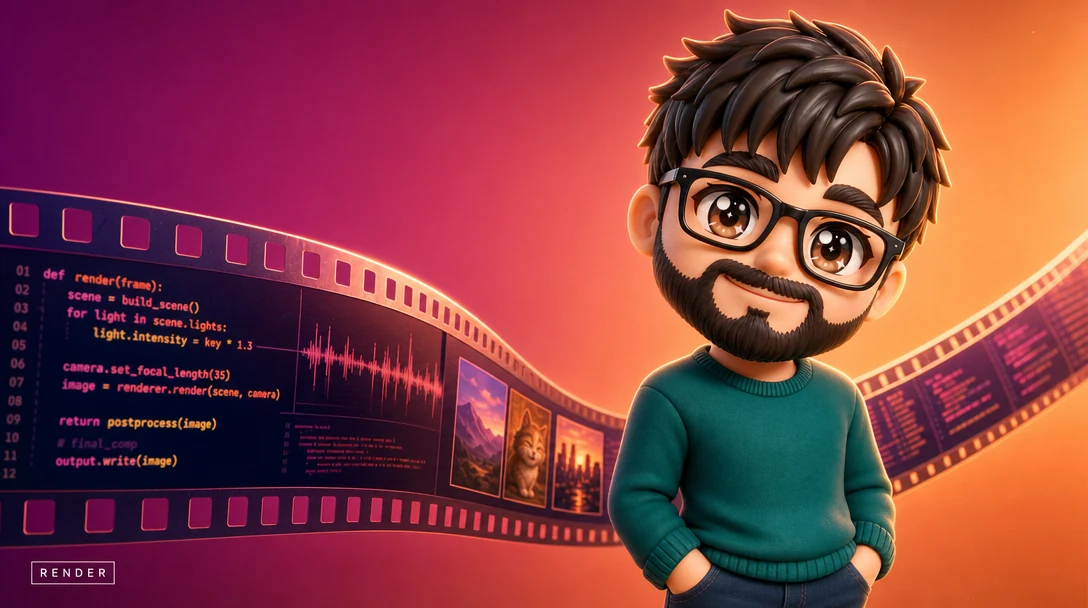
The thing that finally broke me on manual video editing was the re-edit. I would cut a clip, lay narration over it, line up captions by ear, export, watch it back, and notice the script had one wrong word. Fixing that one word meant re-recording, re-importing, nudging every caption after it, and re-exporting. The work was not the creativity. It was redoing the same mechanical alignment over and over, because a timeline app stores your result, not your intent.
So I stopped editing video and started building it. The whole pipeline is now code. A script goes in, a finished file comes out, and the interesting shift is not that it is faster, although it is. The shift is that the video became a deterministic build artifact, the same way a compiled binary is. You do not edit a binary. You edit the source and rebuild. That single reframing is the lesson in this whole post. To be clear, I am not knocking timeline editors when the act of arranging is the creative work. I am talking about the other case, a script read aloud over supporting imagery, where the arranging is not craft at all. It is bookkeeping, and a machine should own it.
The Source Is The Script, Not The Timeline
In a timeline app, the arrangement of clips is the only record of what you did, and the only way to change anything is to manipulate that frozen arrangement by hand. Lose the project file and you lose the work.
In a code pipeline, the script is the source. Everything downstream, the narration, the images, the caption timing, the cuts, is derived from that script by a deterministic process. The video is an output, not a document. That means I can throw the rendered file away with zero anxiety, because it is cheap to regenerate. It also means the thing I version control is small and readable. A diff on a script is a sentence change. A diff on a binary project file is meaningless.
Once you accept that the video is an output, the next decision is how to get from script to frames. The answer is a chain of stages where each one takes the previous stage's output and produces the next, ending in a renderer that composes every frame.
Where Each AI Piece Fits
The pipeline has four stages, and each one replaces a manual task that used to live inside the editor.
First, narration. An open-source text-to-speech model, Kokoro, reads the script and produces the voice track. This used to be a recording booth and a lot of takes. Now it is a function call. The script is the input, an audio file is the output, and because the model runs locally, regenerating it costs nothing but a few seconds of compute. When I change a line, the narration for it is simply produced again. There is no re-recording, because there was never a recording.
Second, visuals. A generative image API, fal, produces the images and b-roll the video shows. I describe the shot, the API returns the frame. This is the one stage that is not local, so I treat it as having a real per-call cost and cache aggressively, the same way I do when I run fal as the async backend of a product rather than a one-off render. An image keyed to a stable prompt gets generated once. If the prompt does not change, the cached image is reused, so re-rendering after a tiny script edit does not re-bill me for images that did not change.
Third, and this is the stage people skip, synchronization. After the narration audio exists, I run it back through a speech-to-text model, Whisper, but I am not after the transcript. I already have the text. I am after the word-level timestamps. Whisper tells me exactly when each word is spoken, down to fractions of a second. That timing data is the glue that lets captions appear in sync with the voice and lets cuts land on the right beat without me eyeballing anything. This is the part that used to eat the most manual time, dragging caption blocks until they felt right, and it is now a data structure. The voice defines the timing, and everything visual reads from it.
Fourth, composition and render. Remotion ties it together. Remotion is React for video. You describe each frame as a component, the same way you describe a web page, and Remotion renders that description to a video file frame by frame. The narration audio, the fal images, and the Whisper timestamps all flow into the React tree as props. A caption is a component that reads the current frame, looks up which word should be on screen from the timestamp data, and renders it. A cut is a conditional in the layout. Nothing is positioned by hand. The layout is computed from the inputs, every single time, identically.
How The Stages Chain
The discipline that makes this hold together is treating each stage as a pure function with a stable contract. Kokoro takes a script and returns audio. fal takes a prompt and returns an image. Whisper takes audio and returns a list of timed words. Remotion takes all three and returns frames. No stage reaches sideways into another's internals or hides state. Each one writes its output to disk under a deterministic name, and the next stage reads from there. That is the whole orchestration, closer to a Makefile than to a video project.
Because the stages are pure, caching falls out for free, and caching is what makes re-rendering cheap. Before a stage runs, I check whether its output already exists for the current inputs. The narration for a line I did not touch is already on disk, so Kokoro is skipped for it. An image whose prompt did not change is already there, so fal is not called. Only the parts of the source that actually changed flow through the expensive stages again. This is how an incremental build system avoids recompiling files you did not edit. Touch one sentence and the rebuild does the minimum.
The render is the leaf of the chain, and keeping it deterministic means keeping randomness out of it. Anything that varies between runs, a random seed, a current timestamp, a shuffled order, has to be pinned as an input rather than generated inside the component. If a value can change on its own, it does not belong in the render, it belongs in the source. Once everything the renderer touches is an explicit input, "render it again" becomes a safe, boring operation instead of a roll of the dice. Boring is what you want from a build.
Why Determinism Is The Real Win
Speed gets the headlines, but determinism is what changes how you work. Determinism means the same inputs always produce the same output. Render the project today, render it next month, the file is identical. That sounds academic until you live with it.
It means I can change one line of narration and re-render with full confidence that nothing else moved. The captions after the edit re-time themselves, because they were never placed, they were derived. The unaffected images come straight from cache. Compare that to a manual project, where every edit risks knocking something subtly out of alignment and you only find out on the third watch-through.
It also collapses the cost of iteration. Because Whisper and Kokoro run locally, the recurring per-video cost of narration and timing sits near zero, and caching keeps the one metered piece, image generation, flat across re-renders. So a fifth revision costs about the same as the first. In a manual world the fifth revision costs the most, because the alignment work is identical every time and you are most tired by then. Inverting that curve is the entire reason this is worth building.
And because it is all code, a video gets the same engineering hygiene as any other build. It lives in a repo. It has a diffable history. If a render breaks, I bisect the commits like any regression. The video is no longer a precious hand-assembled artifact I am scared to lose. It is a build I can reproduce on demand from a source I can read.
What This Pattern Is Really About
None of this is specific to video. The transferable move is recognizing when a creative task you do by hand is actually a deterministic function of some smaller source, then making that function explicit in code. Video editing looked like craft, but most of it was mechanical derivation, narration timed to a script, captions timed to that narration. The craft was hiding inside a pile of manual alignment that a machine should own.
When you find a workflow like that, the question to ask is not how to do it faster. It is what the actual source is, and whether you can make the output a build instead of a document. If you can, you get version control, reproducibility, and cheap iteration for free, and you stop redoing the boring part forever. That is what treating video as code buys you, and it is why I will never drag a caption block by hand again.
The same fal-backed generation layer sits behind Apatero, which is where most of these habits came from. Different surface, identical problem, a provider call that might take a minute and might quietly fail.
I build things like this for clients, full-stack apps, AI agents, and automation pipelines, usually shipped faster than expected because I work with AI tooling every day. If you want something built, book a call.
Like this? You'll like what I'm building too.
Two ways to support and get more of this work.
HEARTH
A privacy-first Life OS for your desktop. Journal, tasks, and notes that stay on your machine. Coming soon, direct download from this site.
Read moreMY TOOLKITS
Receipts-first toolkits for shipping after hours, building Claude agents, publishing on Amazon, and more. The exact methods I used, not theory.
Browse on WhopRelated Articles

Build Versus Buy For A Custom AI Feature
How to decide between an off-the-shelf AI tool and a custom AI feature, weighing control, cost, differentiation, and data with a clear framework.

Can One Developer Build Your Whole MVP
An honest look at whether a single full-stack developer can ship your whole MVP, when it works beautifully, and when you should bring in more people.
I Built a Discord Bot to Watch My Cluster
A tiny self-hosted Discord bot is a cheap always-on ops surface for a solo dev. Scope its cluster access read-only and render status as cards, not log walls.