I Built a Discord Bot to Watch My Cluster
A tiny self-hosted Discord bot is a cheap always-on ops surface for a solo dev. Scope its cluster access read-only and render status as cards, not log walls.
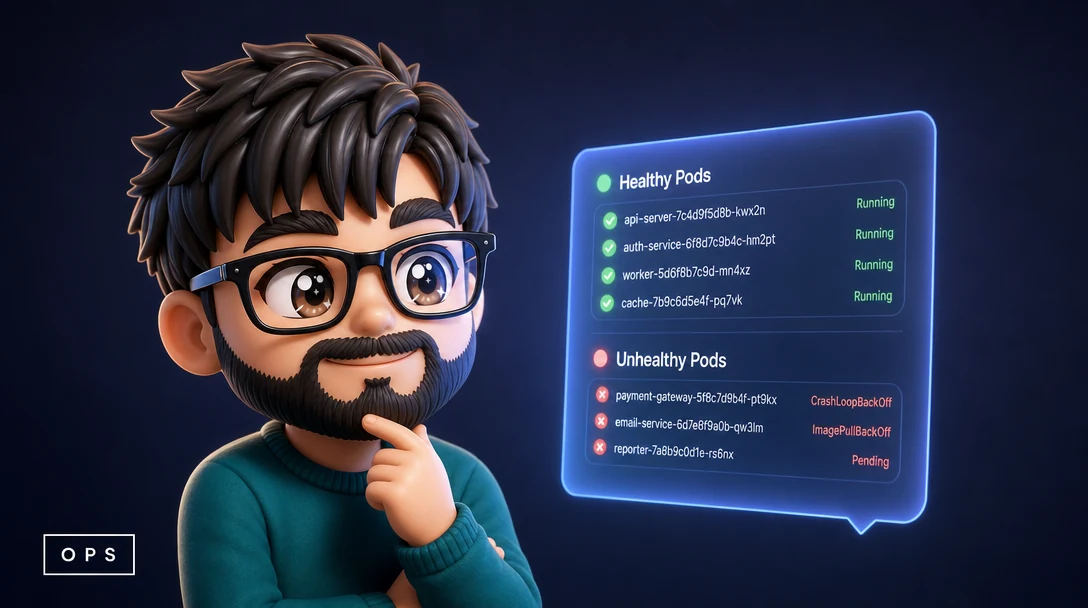
The problem with running your own cluster as a solo dev is that nobody is paging you when something breaks, and you are not staring at a Grafana wall all day either. A pod starts crashlooping at two in the afternoon, a certificate quietly slides toward expiry, a nightly backup job fails without a sound, and you find out hours later because you happened to open a terminal and run kubectl get pods on a hunch. The gap is not a lack of data. The data is all there in the cluster. The gap is that the data does not come to where I already am.
Where I already am is Discord. I live in it. So I built a small discord.py bot that turns my cluster into a set of channels I scroll past anyway. This post is about why that shape of tool fits a one person operation, and the decisions that make it safe and pleasant rather than a liability. The project is a Discord bot, but the lesson is about meeting yourself where you are and being deliberate about access and presentation.
Meet Yourself Where You Already Are
The honest reason most solo monitoring setups rot is that they ask you to go somewhere. You stand up a dashboard, you bookmark it, and within a week you have stopped opening the bookmark because checking it is a separate act of will. An ops surface that requires a deliberate visit competes with everything else you could be doing, and it loses. The only monitoring that actually gets seen is the monitoring that shows up in a place you are looking at for other reasons.
For me that place is Discord, because that is where the rest of my work already lives. So instead of building another page to remember to visit, I made the cluster post into channels I scroll past dozens of times a day. There is a channel for unhealthy pods, a channel for the deploy and pod status board, and channels for the slower-moving facts like certificate expiry, backup job status, and CronJob status. When a pod goes into a crashloop or an image pull fails, the card is just there in the feed next to the conversations I am having. I did not have to decide to look. It met me.
This is the whole reason a Discord bot is the right primitive here and not a heavier observability platform. I am not trying to compete with the tools a real ops team runs. I have one human, and that human is in chat. The bot is a cheap, always-on surface that costs almost nothing to keep running and meets the operator on the channel he never closes. The transferable point is to find the surface you genuinely cannot ignore, the inbox or chat app or terminal you keep open regardless, and route your signals there instead of building a destination and hoping discipline carries you back to it.
Scope the Cluster Access to Read Only
The first thing that scared me about putting a bot inside the cluster was the obvious one. A bot that can read every resource is also, if you are careless, a bot that can change them, and it is software with a token that lives in a channel and gets new code pushed to it on a whim. The last thing I want is a convenience tool that can also delete a deployment because I fat-fingered a command or because someone got the token.
So the bot runs in the cluster with a tightly scoped Kubernetes service account that is read-only on exactly the resources it reports. It is not running with cluster-admin, and it is not running with a token that can mutate anything. It can list and watch pods, deployments, certificates, jobs, and the rest of what it surfaces, and that is the end of its powers. If the bot is compromised, the blast radius is information, the same information already showing up in my private channels. It cannot turn an observability tool into an attack surface, because the credential it holds simply does not carry write verbs.
This is a discipline worth applying to anything you give cluster credentials, not just a chat bot. The default temptation is to hand a helper a broad role because it is faster than figuring out the minimal one, and then you have a long-lived token that can do far more than the job requires. Take the extra hour. Enumerate the verbs the tool actually needs, which for a reporter is almost always just get, list, and watch, and bind it to a role that grants those and nothing else. A monitoring tool should see everything it reports on and touch none of it. That single constraint is what lets you run it casually without it becoming the weakest link in the cluster.
Render Status as Cards, Not Log Walls
The other thing that kills a homegrown ops tool is that it dumps. The naive version of this bot would paste raw kubectl output, a slab of monospace text with columns that wrap badly on a phone, into a channel, and after the third one you stop reading them. A wall of text in a feed is noise. Your eye slides off it. The information is technically present and practically invisible, which is no better than not having it.
So the bot does not post text dumps. It renders each status view as a clean image card with Pillow and posts the image. The unhealthy-pods view becomes a card with the pod name, what is wrong, whether it is a crashloop or an image pull failure or a not-ready state, and the restart count, laid out so you read it at a glance. The deploy and pod status board is a card. Certificate expiry, backup status, and CronJob status are cards. An image in a chat feed reads completely differently from a block of text. It has a shape your eye recognizes instantly, you can tell a healthy card from a sick one without reading a word, and it survives being viewed on a phone where wrapped terminal output falls apart.
The work of drawing a card is real but bounded, and it is the difference between a tool you consume and a tool you learn to ignore. You are deciding what the operator sees in the half-second a passing scroll gives you, so the layout has to do the triage for you. The principle generalizes past Discord and past Pillow. Whatever surface you push operational signal into, design the presentation for the glance, not for completeness. A small, legible summary that a tired human absorbs in one second beats a complete log that a human skips every time. A wall of wrapped terminal text gets scrolled past on a phone, so the completeness buys you nothing.
How the Live Numbers Get There
The status views so far are snapshots, the bot reads the cluster when it needs to render a card. The one piece that needs a running history is the traffic watch, because traffic is something you want to see over time, not just at the instant you happen to look. For that the bot runs a small ingest loop on a sixty-second tick. Every minute it samples the traffic signal and writes the sample into a SQLite file on a persistent volume, so the history survives restarts and redeploys of the bot. When I want a traffic card, it reads back from that local store and draws the trend instead of showing a single lonely number.
I want to be honest about how modest that is, because the modesty is the point. There is no time-series database, no separate metrics pipeline, no extra service to babysit. It is a sixty-second loop and a SQLite file on a volume, which for one operator's traffic view is entirely enough. Persistence buys me a history that is not wiped when the pod cycles, and a flat file buys me that with effectively zero operational overhead. The lesson that held up across this whole project is to reach for the smallest mechanism that satisfies the actual requirement. The requirement was a traffic trend that survives restarts, not a metrics platform, and a tiny loop writing to SQLite met it exactly.
What This Shape of Tool Is Really For
None of this is sophisticated, and that is deliberate. It is a small bot, written with discord.py, running in the cluster on a read-only service account, drawing cards with Pillow and keeping one thin loop of history in SQLite. The sophistication that matters is not in the parts, it is in the three decisions, put the signal where I cannot ignore it, give the tool exactly the access it needs and no more, and present status for the glance rather than the archive. Get those right and a tiny self-hosted bot becomes a genuinely good ops surface for a solo operator.
If you run your own infrastructure alone, the takeaway is not to build this exact bot. It is that the cheapest reliable observability you can give yourself is the kind that comes to you, scoped so it can only ever tell you things, shaped so you actually read it. A dashboard you keep meaning to check does nothing. A scrappy card in the channel you never close gets seen.
I build things like this for clients, full-stack apps, AI agents, and automation pipelines, usually shipped faster than expected because I work with AI tooling every day. If you want something built, book a call.
Like this? You'll like what I'm building too.
Two ways to support and get more of this work.
HEARTH
A privacy-first Life OS for your desktop. Journal, tasks, and notes that stay on your machine. Coming soon, direct download from this site.
Read moreMY TOOLKITS
Receipts-first toolkits for shipping after hours, building Claude agents, publishing on Amazon, and more. The exact methods I used, not theory.
Browse on WhopRelated Articles

Treating Video As Code With Remotion And fal
How I turned a script into a finished video with code instead of a timeline app, and why determinism is the real win for a solo dev.
Build Versus Buy For A Custom AI Feature
How to decide between an off-the-shelf AI tool and a custom AI feature, weighing control, cost, differentiation, and data with a clear framework.
Can One Developer Build Your Whole MVP
An honest look at whether a single full-stack developer can ship your whole MVP, when it works beautifully, and when you should bring in more people.