A Godot 4 HTML5 Export Gotchas Checklist For First Timers
A practical checklist of Godot 4 HTML5 export gotchas a first timer hits. Audio autoplay rules, mobile input, build size, loading UX, and testing on real devices.
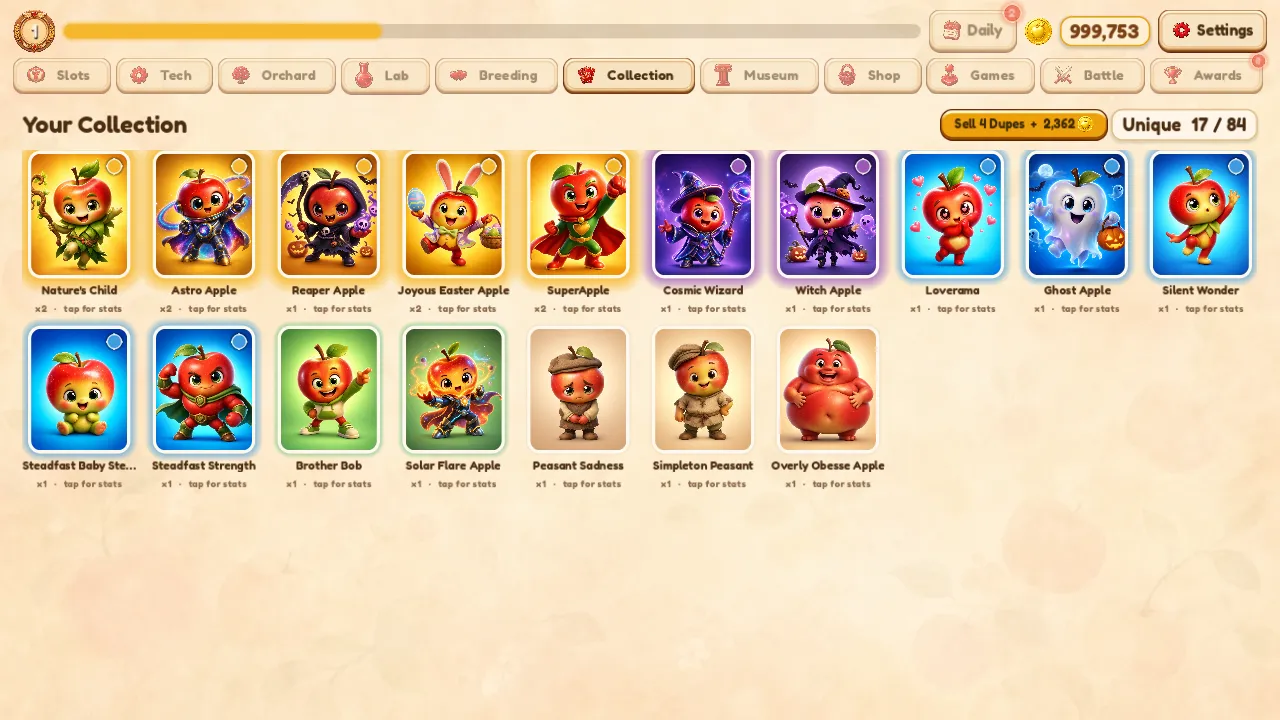
The first time you export a Godot 4 game to the browser, it mostly works, and the mostly is where the pain lives. The thread isolation issue, where the web build needs specific cross origin headers to run threads, is the one everybody warns you about, and it is well documented elsewhere. This checklist is everything else, the smaller gotchas that nobody mentions until you hit them yourself. I hit all of these shipping Orchard Deck and World 11, so here they are in the order they tend to bite.
Audio Will Not Play Until The Player Clicks
This is the one that makes a first timer think their game is broken. Browsers block audio from starting on their own, so your title screen music that played perfectly in the editor is dead silent in the browser until the player interacts with the page. It is not a bug in your game, it is a deliberate browser policy against autoplaying sound, and every web game lives with it.
The fix is to never assume audio works before the first input. Gate your soundtrack behind the player's first click or key press, whether that is a real start button or a tap to begin overlay that doubles as the thing that wakes audio up. Build the game so the first interaction is also what unlocks sound, and the player never notices the silence because they never had a chance to. Orchard Deck does exactly this. The music comes alive the moment you touch the game, and nobody knows it was ever held back.
Mobile Input Is Not Desktop Input
A huge share of browser traffic is on phones, so your web build will be played on touchscreens whether you planned for it or not. If you only wired mouse and keyboard, the mobile experience is quietly broken. Hover does not exist on touch, so anything that relies on hover to reveal information or feedback simply never fires. Tap targets sized for a mouse cursor are too small for a thumb. And there is no keyboard, so any control bound to a key is unreachable.
Go through every interaction and ask how a thumb does it. Make sure everything important is reachable by tap, size your buttons for fingers, and never hide a critical action behind a hover state. Then actually try it on a phone, because the editor will happily lie to you about how it feels under a thumb. Touch is not a smaller mouse, it is a different input, and treating it as an afterthought loses you most of your audience.
The Build Is Bigger Than You Expect
A first Godot web export is usually heavier than a first timer assumes, and on the web every megabyte is a few more seconds of a player staring at a blank page deciding whether to wait. Desktop games never made you think about this because the install happened once. On the web the download happens every single time someone opens the page, so size is not a one time cost, it is a tax on every visit.
Spend an afternoon trimming. Make sure you are exporting a release build and not a debug one, because debug carries weight you do not want shipped. Drop textures and audio you are not actually using, because unused assets still bloat the package. Check your image and audio formats and compression, since the defaults are often heavier than they need to be. You will not get it to nothing, but the difference between a careless export and a trimmed one is the difference between a player who waits and one who closes the tab.
Loading Is A Screen You Have To Design
In a downloaded game, loading happened during install and you never thought about it. On the web, loading happens live, in front of the player, every time, and Godot does not hand you a polished loading experience for free. If you ship the default, the player gets a bare canvas and a vague sense that nothing is happening, which is exactly when people leave.
Treat the loading moment as part of the game. Give it a real progress indicator so the wait feels finite and honest rather than like a hang. Put something on screen, your title, your art, anything that says this is loading and not frozen. The few seconds before the game appears are the most fragile in the whole experience, because the player has committed nothing yet and the cost of leaving is zero. A designed loading screen is what carries them across that gap to the part that is actually fun.
Save Data Lives In The Browser Now
On desktop your save file sits on disk and stays there. In the browser, persistent data lives in browser storage, which behaves differently in ways that will surprise you. It is tied to the specific browser and site, so a player who switches browsers or devices loses their progress. It can be cleared when the player wipes site data, and private browsing may not persist it at all.
Plan for this rather than assuming a save is forever. Make your save and load survive a missing or partial file gracefully, so a fresh or wiped browser starts clean instead of crashing. Test the cleared state on purpose, because a real player will hit it. A save system that assumes the data is always there will eat someone's progress and turn a fan into a complaint.
Test On Real Devices, Not Just Your Machine
The single most reliable way to ship a broken web build is to test it only on the machine you built it on. Your desktop browser is the most forgiving environment your game will ever run in. The places it breaks are the ones you do not own, an older phone, a different browser, a slower connection, a smaller screen.
Build a habit of opening the live build on an actual phone before you call it done. Try a browser you do not normally use. Throttle the connection to feel the loading experience the way a real visitor on a weak signal does. Each of these surfaces a different class of problem, and finding them yourself is far cheaper than learning about them from a player who already left. I run both my games through a real device pass before every release, and it catches issues the editor and my desktop browser were both happy to hide.
The Short Version
If you want the checklist stripped down, here it is. Gate audio behind the first interaction. Make every interaction work under a thumb. Trim the build size, because it downloads on every visit. Design a real loading screen, because the player can see it. Make save and load survive browser storage being cleared or missing. And test on real devices, not just the machine that built it.
None of these are hard once you know to look for them, and you solve each one once and reuse the solution forever. You can see the end state running live. Orchard Deck is free in the browser and went through this exact checklist top to bottom, so every gotcha on this list is one I fixed in the build you are about to play.
Like this? You'll like what I'm building too.
Two ways to support and get more of this work.
HEARTH
A privacy-first Life OS for your desktop. Journal, tasks, and notes that stay on your machine. Coming soon, direct download from this site.
Read moreMY TOOLKITS
Receipts-first toolkits for shipping after hours, building Claude agents, publishing on Amazon, and more. The exact methods I used, not theory.
Browse on WhopRelated Articles

Treating Video As Code With Remotion And fal
How I turned a script into a finished video with code instead of a timeline app, and why determinism is the real win for a solo dev.
Build Versus Buy For A Custom AI Feature
How to decide between an off-the-shelf AI tool and a custom AI feature, weighing control, cost, differentiation, and data with a clear framework.

Can One Developer Build Your Whole MVP
An honest look at whether a single full-stack developer can ship your whole MVP, when it works beautifully, and when you should bring in more people.