Shipping A Godot Game To The Browser With HTML5 And Cloudflare R2
A practical guide to exporting a Godot 4 game to HTML5 and WebAssembly, hosting it on Cloudflare R2, embedding it in a page, and the COOP and COEP thread gotcha.
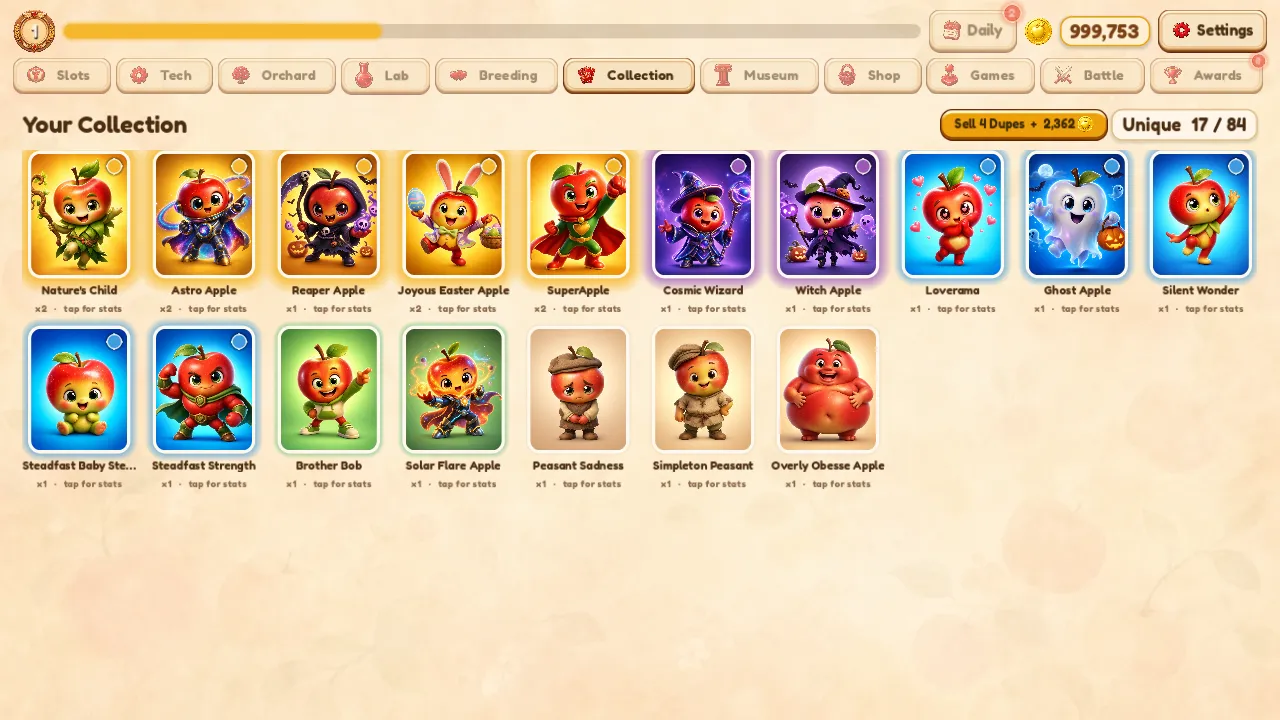
For years the default way to ship an indie game was to build an executable and ask strangers to download it. Think about what that actually requires of a player. They have to trust an unsigned binary from a developer they have never heard of, run it past their operating system's security warnings, find space for it, and commit to an install before they have played a single second. For a free game made by one person, that is an enormous amount of friction stacked in front of the fun.
A browser build removes all of it. The call to action stops being download and becomes a link. Someone reads about your game, clicks, and is playing inside the same page a few seconds later. No store account, no install, no trust barrier, no platform gatekeeper taking a cut. Orchard Deck ships exactly this way, and the path is straightforward enough that I want to lay out the whole thing for anyone else doing it.
Exporting Godot 4 To HTML5 And WebAssembly
Godot has exported to the web natively for a long time, and in Godot 4 the pipeline is mature. The engine compiles your project to WebAssembly, the binary instruction format that browsers run at near-native speed, and wraps it in the HTML, JavaScript, and asset files a browser needs to boot it.
The mechanics are simple. You install the web export templates for your exact Godot version, which matters, because the templates and the editor have to match. You add a web export preset, then export, and Godot produces a small set of files, an HTML shell, a JavaScript loader, the WebAssembly binary that is your actual game, a packed data file with your assets, and a worker script. That bundle is everything. Drop those files behind any web server and the game runs.
The one decision inside the export preset that shaped my entire hosting setup was thread support, and I will come back to it, because it is the gotcha that catches people.
Hosting The Build On Cloudflare R2
Once you have a folder of static files, hosting is the easy part, and this is where a Godot web build shines, because it is just static assets. There is no server-side runtime, no Node process, no container to keep alive. It is HTML, JavaScript, a WebAssembly binary, and a data file. Anything that can serve static files can serve your game.
I chose Cloudflare R2 because it is object storage with no egress fees, which for a free game that I want lots of people to play matters a great deal. A traditional storage provider charges you every time a player loads the assets, and a WebAssembly game binary plus its data file is not tiny. R2 does not bill for that bandwidth, so a spike in players does not become a surprise bill, which is exactly the wrong thing to fear when you are trying to get a free game in front of as many people as possible.
The flow is to create an R2 bucket, upload the exported files, and serve them. R2 sits behind Cloudflare's CDN, so the binary is cached close to the player, and the WebAssembly file downloads fast on the first load and instantly on every load after. For a solo developer, static files on R2 is about as low-maintenance and low-cost as hosting gets.
Embedding The Game In A Page
The game does not live alone on a raw storage URL. I embed it in a small page on a games subdomain, and the embed is where the export decision pays off.
The HTML shell Godot produces is a complete page, but you usually want your game inside your own site, framed by your own branding, with a feedback button and a link back to where the player came from. The clean way to do that is to host the build on R2 and load it inside a small page on your domain. The game runs in its own context, the surrounding page is yours, and the player experiences one seamless thing. For Orchard Deck, that page is a tiny wrapper on a games subdomain that loads the R2-hosted build.
This is where most of the practical trouble shows up, and it traces directly back to one export setting.
The COOP And COEP Thread Gotcha
Godot web builds can use threads for better performance. But threads on the web depend on SharedArrayBuffer, the browser feature that lets threads share memory, and browsers will only enable SharedArrayBuffer when the page is in a state called cross-origin isolation. Achieving that isolation requires two specific HTTP response headers, Cross-Origin-Opener-Policy set to same-origin and Cross-Origin-Embedder-Policy set to require-corp.
Those headers sound harmless until you try to embed. Cross-origin isolation is contagious and strict. The moment a page demands it, every resource that page loads has to play along, which means your storage host has to send the right headers, any third-party script or font or analytics tag has to send matching headers, and embedding the game inside another page gets fragile fast. You end up fighting header configuration across services instead of building your game.
So I made the simplest possible call. I turned thread support off in the web export preset. With threads disabled, the game does not need SharedArrayBuffer, which means it does not need cross-origin isolation, which means it does not need those COOP and COEP headers at all. The build embeds anywhere, behind any host, inside any page, with no header gymnastics. Orchard Deck does not need threads to run smoothly, so this cost me nothing and bought me a frictionless embed. If you are shipping a web build that you want to embed freely, turn thread support off in the export preset, confirm the game still runs the way you want, and skip the entire isolation headache.
Why The Browser Build Wins For A Solo Developer
Step back and the trade is lopsided in the browser's favor. An executable asks the player for trust, storage, and a leap of faith before any fun happens. A browser build asks for a click. Every step you remove between hearing about a game and playing it is a step where people drop off, and the download is the biggest step of all.
A web build will not match a native build for raw performance, and some heavy games genuinely need threads and the isolation headers that come with them. But for a cozy game built by one person and given away for free, the calculus is not close. The reach from a zero-friction link dwarfs the performance you give up, and R2 costs me almost nothing. For a solo developer putting a free game in front of strangers, the browser is not the consolation prize, it is the best distribution channel available.
Try The Result And Steal The Approach
The whole pipeline I just described is running right now. A Godot 4 export, hosted on R2, embedded in a small page, with no isolation headers because threads are off.
Play Orchard Deck in your browser
If you want the bigger picture on the game itself, there is an overview of how Orchard Deck came together. And there is a feedback button right on the game page. If the build misbehaves on your browser or device, that is genuinely useful to me, so send it, because the only way I find out a web build is broken somewhere is when a player tells me.
Like this? You'll like what I'm building too.
Two ways to support and get more of this work.
HEARTH
A privacy-first Life OS for your desktop. Journal, tasks, and notes that stay on your machine. Coming soon, direct download from this site.
Read moreMY TOOLKITS
Receipts-first toolkits for shipping after hours, building Claude agents, publishing on Amazon, and more. The exact methods I used, not theory.
Browse on WhopRelated Articles
I Balanced My Roguelike With A Bot That Plays A Thousand Games
A balance bot runs hundreds of optimal teams through the full gauntlet and reports the champion rate. That dial replaced the playtest team a solo developer does not have.

How I Built A Game About Real Players Without A Licensing Nightmare
Facts are not copyrightable. Here is the practical line a solo developer can walk to ship a game using real names, positions, and years, with freely licensed faces.

I Treat Claude Code Like a Small Dev Team
Agentic AI coding gives real leverage only when you decompose work, isolate it, anchor it with durable context, and verify the output. Here is how I direct it.